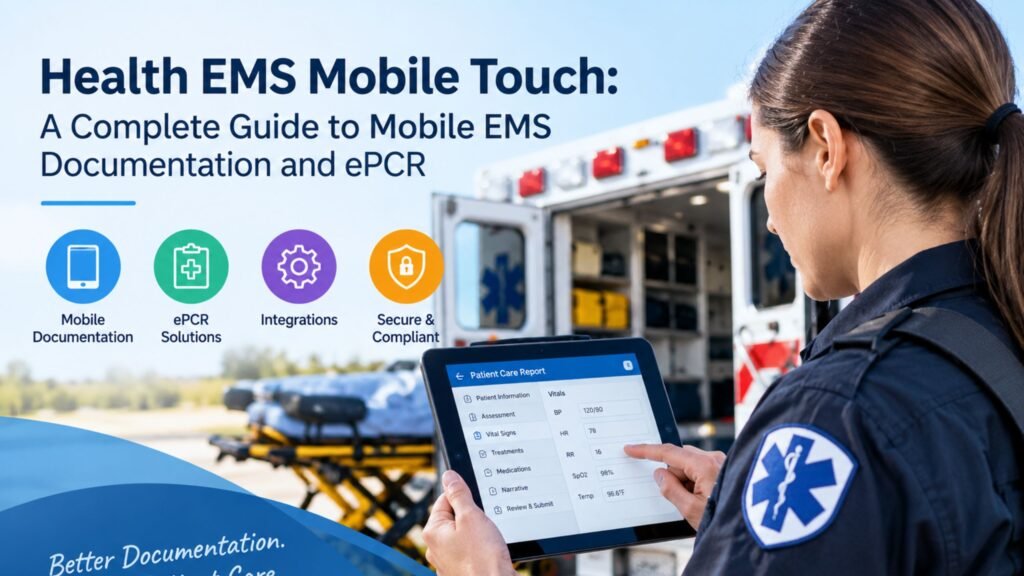
Health EMS Mobile Touch: A Complete Guide to Mobile EMS Documentation and ePCR
When every second matters, EMS teams need technology that keeps pace with the field. Health EMS Mobile Touch helps emergency medical teams manage electronic patient care reporting directly from mobile devices. Instead of relying on paper notes and later data entry, crews can capture essential details while caring for patients. This EMS mobile software supports a smoother documentation process across fast-moving emergency situations.
It also connects with broader emergency medical services software workflows, helping agencies manage clinical and operational information more efficiently. From patient assessments to treatment records, digital tools can reduce repetitive work and keep important details organized. For U.S. EMS providers, understanding how Mobile Touch works can help them evaluate modern EMS technology. (Sansio)
What Is Health EMS Mobile Touch?
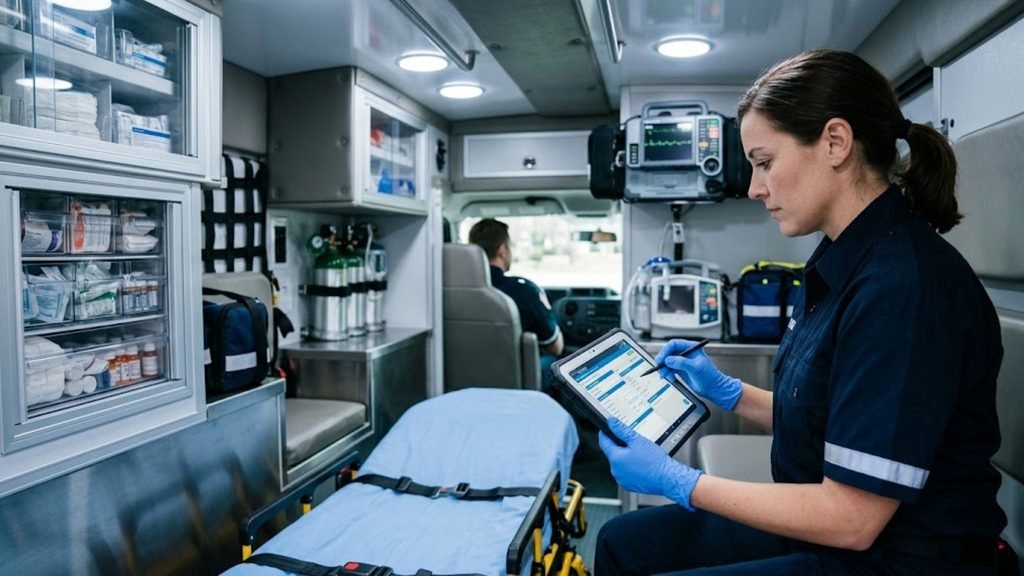
At its core, Health EMS Mobile Touch is EMS mobile software built for electronic patient care reporting. It gives EMS providers, emergency medical technicians, and paramedics a mobile way to document patient encounters in the field. Instead of rebuilding a report later from paper notes, crews can capture structured information during the call.
This mobile EMS solution is part of the wider HealthEMS platform. The system supports configurable fields, scenario-based validations, integrations, and quality assurance tools. MobileTouch can also operate without an internet connection while crews create an ePCR. (Sansio)
Health EMS Mobile Touch and Mobile ePCR Documentation
The main job of MobileTouch is electronic patient care reporting. A crew can record patient information, assessments, treatments, medications, vital signs, and other details within the report. The approach turns field documentation into structured digital information rather than scattered handwritten notes.
For a busy agency, that distinction matters. Good EMS documentation can support clinical review, billing, compliance, quality improvement, and downstream reporting. MobileTouch also supports agency-defined fields called PowerFields which can adapt documentation to local operational needs. (Sansio)
How Does Health EMS Mobile Touch Work?
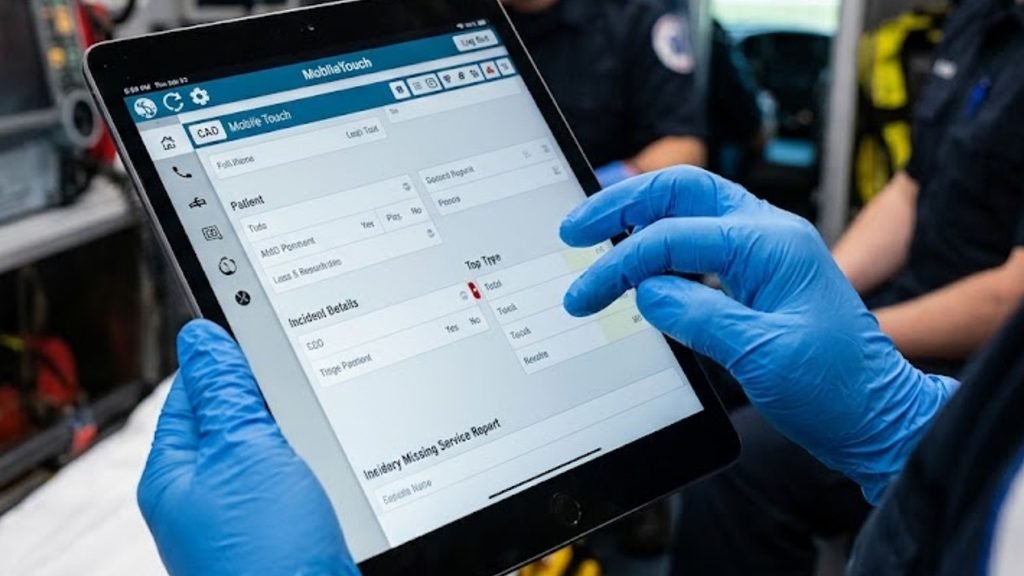
The workflow starts when an EMS crew receives dispatch information. During the encounter, the crew gathers clinical information, records the patient assessment, documents treatments, and completes the electronic report. MobileTouch can also receive information from connected systems such as CAD and ECG devices. (Sansio)
The process becomes especially useful when connectivity is unreliable. MobileTouch allows crews to create and document an ePCR in Offline Mode. When connectivity returns, the application can move back online without requiring the crew to rebuild the report. (Sansio)
| EMS Stage | MobileTouch Role |
| Dispatch | Receives available call information |
| Patient contact | Captures assessment details |
| Treatment | Records interventions and medications |
| Documentation | Builds the electronic patient care report |
| Review | Supports validation and quality checks |
| Submission | Completes the report when online |
What Happens After an EMS Report Is Completed?
Once an ePCR is finished, the information can support several downstream processes. HealthEMS includes reporting, billing-related workflows, QA/QI functions, and data exchange capabilities. Agencies can also use integrations to move information into other healthcare systems. (Sansio)
That creates a connected EMS workflow. Instead of treating documentation as an isolated task, the agency can use the same record for operational review, reporting, billing, and information exchange.
Key Features of Health EMS Mobile Touch
The platform combines several functions within one EMS field software environment. Its capabilities include customizable data fields, scenario-based validations, QA/QI tools, medical necessity scoring, and integrations with external systems. These features help agencies shape documentation around their own protocols. (Sansio)
MobileTouch also supports different mobile platforms. Sansio’s current FAQ lists support for iPad and Android tablets while describing MobileTouch as a mobile application for point-of-care documentation. The company also introduced a native iPadOS version with barcode and QR scanning capabilities. (Sansio)
Mobile Touch Features EMS Crews Use in the Field
The platform can capture information from several sources rather than forcing crews to type everything manually. Current HealthEMS materials describe integrations with CAD, ECG monitors, Handtevy, billing systems, and other data sources. (Sansio)
For example, ECG integration can import vital-sign data and waveform information into an ePCR. The LIFENET Cloud integration can also map monitor events into the report and populate vital signs such as heart rate, blood pressure, and SpO2. (Sansio)
Health EMS Mobile Touch for Emergency Medical Services
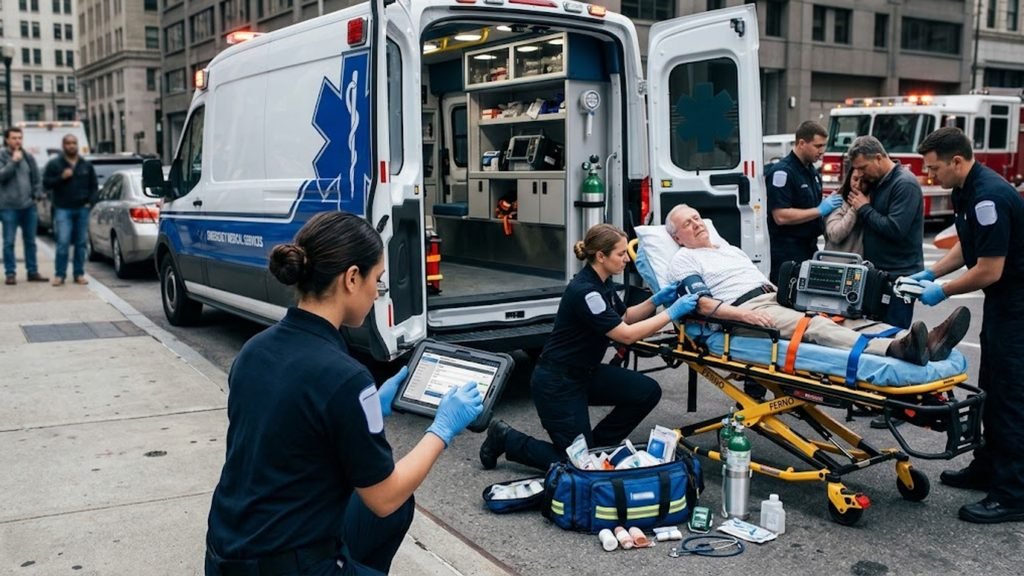
For emergency medical services, documentation happens under pressure. Ambulance crews may work inside moving vehicles, while emergency responders can operate in homes, streets, public buildings, or rural locations. A useful system must therefore fit the field instead of forcing the field to fit the software.
Health EMS Mobile Touch is designed around this reality. Its mobile-first approach supports point-of-care reporting and offline documentation. Agencies can also configure fields and validations around their own requirements. That flexibility makes the system relevant to different EMS agencies and operational models. (Sansio)
Using Mobile Touch During Emergency Calls
During a call, a paramedic might need to record several events within minutes. The report can include the initial assessment, vital signs, medications, procedures, timestamps, and destination information. Connected systems may provide some of that information automatically.
This can reduce repeated typing and improve operational efficiency. Recent HealthEMS integrations demonstrate this approach. OneDose data can move into MobileTouch as structured information while LIFENET Cloud can transfer monitor information into the ePCR. (Sansio)
Benefits of Using Health EMS Mobile Touch
The biggest advantage of a modern emergency medical services software platform is connected documentation. Instead of keeping clinical information, dispatch details, and operational records in separate places, agencies can bring important data into a common workflow. That can reduce repetitive work for crews.
HealthEMS also provides QA/QI functionality that can identify documentation issues and support communication between reviewers and crews. Its configurable validations can help agencies check records against defined requirements. (Sansio)
| Benefit | Why It Matters |
| Faster documentation | Crews can capture information during care |
| Structured records | Data becomes easier to review and analyze |
| Fewer duplicate entries | Integrations can transfer selected information |
| Better QA | Agencies can flag documentation issues |
| Flexible workflows | Agencies can configure fields and validations |
| Offline capability | Crews can document during connectivity gaps |
How Mobile EMS Documentation Can Improve Workflow
Traditional paperwork can create a second documentation task after the patient encounter. A digital system changes that sequence by capturing information closer to the moment it occurs. That can make digital EMS documentation more consistent and easier to review.
Recent HealthEMS integrations show the practical value of this approach. The OneDose integration transfers medications, treatments, timestamps, and related information into MobileTouch without requiring another manual entry. (Sansio)
Health EMS Mobile Touch and Patient Care
Good documentation supports more than administration. It creates a structured record of what happened during an encounter. Patient care reports can contain assessments, interventions, medications, vital signs, and other information that helps describe the episode of care.
The connection becomes even more important when EMS information reaches receiving hospitals. Sansio Data XChange describes a workflow where a completed ePCR can be routed to a receiving destination through direct EHR integration, a secure portal, or fax depending on the configured system. (Sansio)
Why Accurate EMS Patient Care Reports Matter
An accurate report gives healthcare providers a clearer record of the EMS encounter. It can preserve medical history, treatment details, timestamps, and other important clinical information. That supports continuity of care when information moves from the field toward the next stage.
There is also an operational side. Complete records can support billing, quality review, regulatory reporting, and internal analysis. HealthEMS provides QA/QI tools and configurable validation features intended to help agencies identify missing or problematic information. (Sansio)
Health EMS Mobile Touch Integration and Data Management
Modern EMS operations rarely rely on one application. A department may use CAD, cardiac monitors, medication tools, billing systems, analytics platforms, and hospital interfaces. That makes interoperability and system integration important parts of any EMS management system.
HealthEMS supports several integration categories. Current documentation lists CAD, ECG, Handtevy, billing, analytics, and data exchange options. ECG integrations can import vital signs and waveform information while CAD integrations can populate information such as call times, crew details, dispatch reasons, and destination data. (Sansio)
Health EMS Mobile Touch and NEMSIS Data
Standardized EMS data matters because agencies need consistent information for reporting and analysis. HealthEMS states that MobileTouch is built around NEMSIS data standards. Its configurable validations can also support agency-specific requirements beyond required NEMSIS fields. (Sansio)
That creates a useful balance. National standards provide structure while agency-defined fields can capture local needs. In practice, strong EMS data management depends on both accurate field entry and sensible configuration.
Security and Compliance Considerations for Health EMS Mobile Touch
EMS records contain sensitive information. Agencies therefore need strong healthcare data security practices around devices, accounts, permissions, transmission, and storage. Technology can support these controls, but software alone doesn’t make an organization automatically compliant.
HealthEMS provides role-based permissions, audit capabilities, and secure messaging features. Its FAQ states that agencies can restrict access through roles and permissions while audit logs can show changes made to ePCRs after submission. (Sansio)
Protecting Patient Information on Mobile EMS Devices
Mobile devices create practical security concerns. A lost tablet, weak password, outdated application, or excessive permissions can expose sensitive information. Agencies should therefore establish clear policies for user access, device management, authentication, updates, and incident response.
HIPAA-related obligations also depend on the agency’s complete environment and business relationships. For that reason, organizations should verify current vendor documentation, contractual responsibilities, security controls, and applicable state requirements before deployment.
Who Can Benefit From Health EMS Mobile Touch?
The platform is designed for different types of emergency response organizations. Current Sansio materials describe HealthEMS as serving EMS providers, fire departments, combination agencies, and paramedic teams. The system can also scale across different agency sizes and call volumes. (Sansio)
For ambulance crews, the focus may center on fast patient care documentation. Administrators may care more about reporting, QA, billing, and configuration. Medical directors may focus on clinical information and quality review. IT teams often examine integrations, security, devices, and data exchange.
Health EMS Mobile Touch for EMTs, Paramedics, and EMS Administrators
Field clinicians need a fast EMT mobile application experience. Administrators need deeper control over reports, users, validations, and quality processes. A shared platform can connect those needs without requiring every role to use separate systems.
HealthEMS Manager provides the administrative side of the ecosystem while MobileTouch handles field documentation. Sansio also offers professional services for system administration, QA optimization, integrations, reporting, and ePCR optimization. (Sansio)
Is Health EMS Mobile Touch Right for Your EMS Organization?
Choosing an EMS communication system or emergency response system requires more than checking a feature list. An agency should examine its current workflow, device environment, reporting requirements, integrations, training needs, and compliance obligations. The right fit depends on how those pieces work together.
MobileTouch offers a broad digital healthcare solution for field documentation and related EMS operations. Its offline capability, configurable fields, integrations, QA/QI functions, and data exchange tools are documented by Sansio. Agencies should still request a current demonstration before making a purchasing decision because software capabilities can change over time. (Sansio)
Health EMS Mobile Touch Evaluation Checklist
| Evaluation Area | Key Question |
| ePCR | Does it support your required documentation? |
| Devices | Will it work with your existing mobile devices? |
| Connectivity | Can crews document when coverage disappears? |
| Integrations | Can it connect with your CAD and clinical systems? |
| Security | Are access and audit controls suitable for your environment? |
| Reporting | Can your team access the data it needs? |
| QA/QI | Can reviewers identify and correct documentation issues? |
| Training | What support will crews and administrators receive? |
| Data exchange | Can reports reach required healthcare destinations? |
| Scalability | Can the platform support future operational growth? |
In short, Health EMS Mobile Touch brings field documentation into a connected EMS workflow. Its purpose extends beyond replacing paper. The platform combines mobile patient care, structured reporting, configurable workflows, integrations, quality assurance, and EMS operations management within the broader HealthEMS environment. (Sansio)
For a U.S. EMS organization evaluating this type of platform, the key question isn’t simply whether the software has many features. The better question is whether those features fit the agency’s protocols, devices, reporting duties, clinical workflow, and operational reality.
Bilkul. Health EMS Mobile Touch ke liye short aur SEO-friendly FAQs:
Frequently Asked Questions
1. What Is Health EMS Mobile Touch?
Health EMS Mobile Touch is a mobile solution that helps EMS teams complete electronic patient care reports in the field.
2. How Does Health EMS Mobile Touch Help EMS Providers?
It helps EMS providers record patient information, assessments, treatments, and other details directly on mobile devices.
3. Can Health EMS Mobile Touch Work Without Internet?
Yes, Mobile Touch supports field documentation when connectivity is limited, with data synchronization when a connection becomes available.
4. Who Uses Health EMS Mobile Touch?
Paramedics, EMTs, ambulance crews, and EMS agencies can use it to manage patient care documentation and reporting.
5. Does Health EMS Mobile Touch Support ePCR Documentation?
Yes, it supports electronic patient care reporting (ePCR) to help organize clinical information and patient care reports.
